
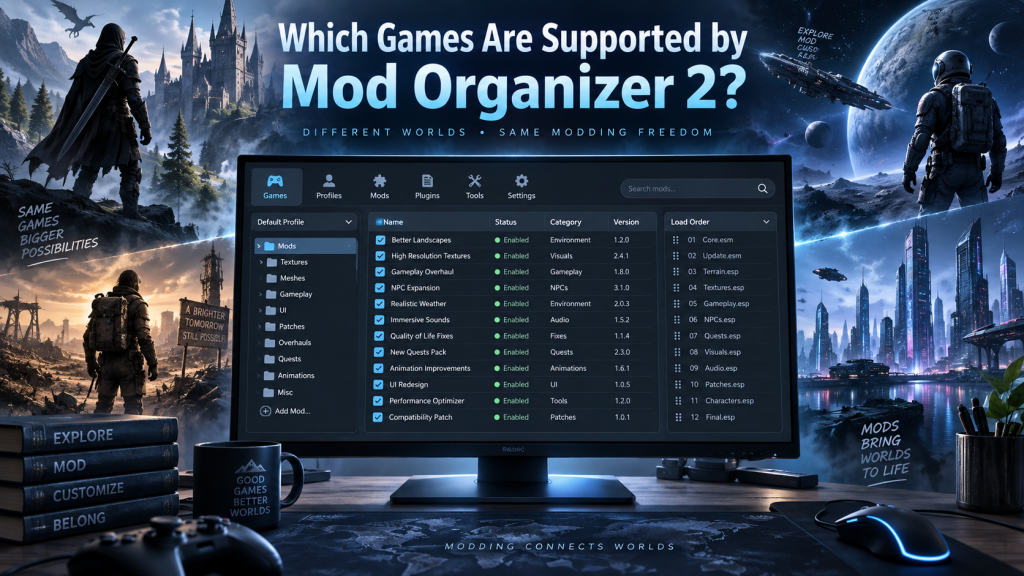
Mod Organizer 2, commonly called MO2, is a powerful mod management tool designed for players who want greater control over game modifications. It is especially popular among Bethesda game communities because it allows users to install, remove, organize, and test mods without permanently changing original game files.
Although Mod Organizer 2 originally focused heavily on Bethesda titles, its supported game library has expanded considerably. Today, MO2 works with numerous Bethesda games alongside many non-Bethesda titles through built-in and community-developed game plugins. Support quality can vary, so understanding which games receive full or basic support is important before building a large mod setup.
Read More: How Do I Install Mod Organizer 2?
Bethesda Games Supported by Mod Organizer 2
Bethesda games remain Mod Organizer 2’s strongest area. MO2 is specifically designed around many systems used by Bethesda Game Studios titles, including plugin management, profiles, load orders, archive handling, INI configuration, and virtualized mod files.
Current Bethesda-related support includes:
- The Elder Scrolls III: Morrowind; The Elder Scrolls IV: Oblivion; Fallout 3; Fallout: New Vegas; Tale of Two Wastelands; The Elder Scrolls V: Skyrim; Skyrim Special Edition; Skyrim VR; Fallout 4; Fallout 4 VR; Enderal; Enderal Special Edition; and Starfield.
These games generally provide the strongest MO2 experience because many of its advanced features were developed specifically around Bethesda-style modding.
Skyrim Special Edition, Fallout 4, Fallout: New Vegas, and Starfield are particularly attractive choices for MO2 because their modding communities frequently use external utilities, script extenders, texture packages, plugins, and extensive mod lists.
Does Mod Organizer 2 Support Starfield?
Yes. Starfield has dedicated Mod Organizer 2 support with features including save parsing, plugin management, archive handling, automatic archive invalidation, and virtualization of relevant game directories. Some Starfield-specific limitations can still apply depending on plugins, archive formats, and load-order tools.
MO2’s virtual file system is particularly useful for Starfield because mods can remain separated from original installation files. Users can therefore experiment with different configurations while reducing unnecessary changes inside the primary game folders.
Other Games Supported by Mod Organizer 2
Mod Organizer 2 has expanded far beyond Bethesda titles. Community-created plugins provide support for many popular games, although the developers warn that robustness varies between titles. Some games may receive extensive integration, while others mainly receive basic mod installation and file-management features.
Other currently listed supported games include:
- Batman: Arkham City; Assetto Corsa; Black & White 2; Blade & Sorcery; Control; Cyberpunk 2077; Daggerfall Unity; Darkest Dungeon; Dark Messiah of Might & Magic; Dark Souls; Divinity: Original Sin and Enhanced Edition; Dragon Age: Origins; Dragon Age 2; Dragon’s Dogma: Dark Arisen; Dungeon Siege; Dungeon Siege II; F1 2023; Final Fantasy VII Remake; GTA III Definitive Edition; GTA: San Andreas Definitive Edition; GTA: Vice City Definitive Edition; Kerbal Space Program; Kingdom Come: Deliverance; Master Duel; Metal Gear Solid 2: Sons of Liberty – Master Collection; Metal Gear Solid 3 – Master Collection; Microsoft Flight Simulator 2020; Mirror’s Edge; Monster Hunter Rise; Monster Hunter: World; Mount & Blade II: Bannerlord; Need for Speed: High Stakes; NieR: Automata; No Man’s Sky; Sekiro: Shadows Die Twice; The Sims 4; STALKER Anomaly; Stardew Valley; Starsector; Star Wars: Empire at War; Star Wars: Empire at War – Forces of Corruption; Subnautica; Subnautica: Below Zero; Test Drive Unlimited; Test Drive Unlimited 2; The Binding of Isaac: Rebirth; The Witcher; The Witcher 2: Assassins of Kings; The Witcher 3: Wild Hunt; Tony Hawk’s Pro Skater 3; Tony Hawk’s Pro Skater 4; Tony Hawk’s Underground; Tony Hawk’s Underground 2; TrackMania United Forever; Train Simulator Classic; Valheim; Valkyria Chronicles; Vampire: The Masquerade – Bloodlines; X-Plane 11; and Zeus + Poseidon.
This broader compatibility makes MO2 useful for players who maintain modded installations across several games rather than limiting themselves exclusively to Skyrim or Fallout.
What Does Game Support Mean in Mod Organizer 2?
Not every supported game receives exactly the same functionality. Bethesda titles generally benefit from deeper integration because MO2 was built around their modding architecture.
For another game, support might simply mean that MO2 can recognize the installation, organize mods, create a virtual file structure, and launch the game with selected modifications.
Some community plugins may also provide game-specific directory detection, Nexus integration, mod-data handling, or special installation rules.
Therefore, seeing a game listed as supported does not necessarily mean every MO2 feature works exactly as it does with Skyrim Special Edition or Fallout 4.
Why Bethesda Games Work Especially Well With MO2
Mod Organizer 2 uses a virtual file system rather than copying every mod directly into a game’s main data folder. According to the MO2 project description, mods remain stored separately while applications launched through MO2 see them as though they were installed normally.
This approach makes complex Bethesda modding easier to manage. Users can enable or disable modifications quickly, adjust priorities, troubleshoot conflicts, and create different profiles without constantly rebuilding the original installation.
For heavily modded Skyrim or Fallout installations containing hundreds of modifications, this separation can make troubleshooting significantly more manageable.
Cyberpunk 2077 Support in Mod Organizer 2
Cyberpunk 2077 is another notable game supported by MO2. The project has received more substantial support than many basic community integrations, although setup can be more complex than traditional Bethesda modding. The MO2 development notes describe Cyberpunk support as fairly robust while recommending game-specific setup guidance.
Players using Cyberpunk mods should still check compatibility instructions supplied by individual mod developers because certain modifications may use specialized frameworks or installation locations.
How to Check Whether Your Game Works With MO2
Before creating a large mod collection, users should confirm both official support and the quality of game-specific integration.
- Install the latest stable version of Mod Organizer 2, check whether MO2 detects your game, review current game-plugin documentation, test a simple mod first, launch the game through MO2, and confirm that the modification loads correctly before adding a larger mod collection.
Testing gradually helps identify problems before they become difficult to diagnose.
Can Unsupported Games Be Added to MO2?
Potentially, yes. Mod Organizer 2 uses a plugin system that allows developers and community contributors to introduce support for additional games. The project has progressively expanded compatibility through these game plugins.
However, manually adding an unsupported game is not necessarily suitable for ordinary users. Proper integration may require knowledge of game directories, executable detection, mod structures, configuration files, and Python-based MO2 game plugins.
Community development means the supported-game list can also change as existing plugins improve and new ones become available.
Is MO2 Best for Skyrim and Fallout?
Skyrim and Fallout remain among the strongest reasons to use Mod Organizer 2. MO2 provides extensive control over mod priorities, profiles, plugin setups, virtualized files, and external modding utilities.
Users working with large Skyrim Special Edition or Fallout mod lists often benefit considerably from keeping every mod isolated. A problematic texture, script, interface modification, or gameplay overhaul can be disabled without manually searching through the original Data directory.
MO2 remains useful for many other games, but its Bethesda-focused features continue to provide the most mature experience.
Mod Organizer 2 Support Can Change
Game compatibility should not be treated as permanently fixed. MO2 remains community-developed, meaning new integrations can appear while existing support can change between releases.
For example, recent versions continue to improve individual game plugins and compatibility features. The Nexus Mods page currently lists Mod Organizer 2 version 2.5.2 and describes the software as actively community-developed.
Checking current release notes before creating a new modding setup can therefore prevent compatibility problems.
Conclusion
Mod Organizer 2 supports a wide range of games, with its strongest and most complete compatibility centered around Bethesda titles such as Skyrim, Fallout, Oblivion, Morrowind, Enderal, and Starfield. Its community-developed plugin system also extends support to games including Cyberpunk 2077, The Witcher 3, Stardew Valley, Dark Souls, Subnautica, Valheim, Monster Hunter, and many others.
Support quality varies from game to game. Bethesda titles generally receive deeper integration, while some non-Bethesda games offer more basic functionality. Checking current MO2 documentation and testing a simple mod before creating a large setup remains the safest approach.
Pingback: Can Mod Organizer 2 Manage Skyrim Mods?