
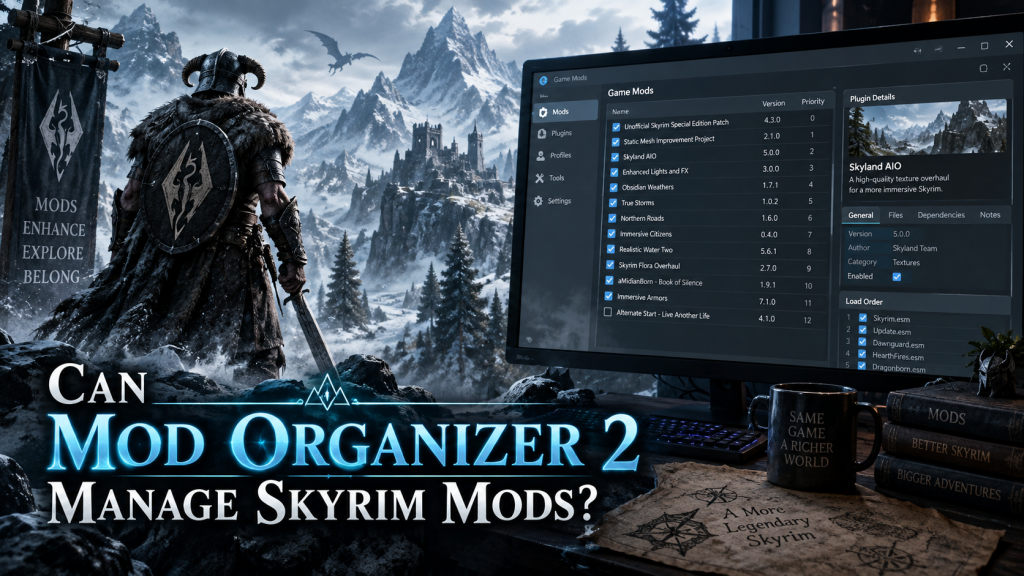
Yes, Mod Organizer 2 can manage Skyrim mods, and it is one of the most popular mod management tools among Skyrim players. It gives users greater control over installed modifications while keeping the original Skyrim game folder relatively clean.Skyrim has one of the largest modding communities in gaming. Players regularly install graphics upgrades, new weapons, quests, animations, weather systems, character improvements, and gameplay changes. Managing many modifications manually can quickly become complicated.
Mod Organizer 2, commonly called MO2, simplifies this process by organizing mods through a virtual file system. Players can install, enable, disable, prioritize, and troubleshoot Skyrim mods without constantly changing files inside the main game directory.
Read more: Which Games Are Supported by Mod Organizer 2?
How Mod Organizer 2 Works With Skyrim
Mod Organizer 2 manages Skyrim mods differently from traditional manual installation. Instead of copying every mod directly into Skyrim’s Data folder, MO2 stores modifications separately.
When Skyrim launches through Mod Organizer 2, the program creates a virtual environment containing the selected mods. Skyrim can access these files as though they were installed directly inside the game folder.
This approach provides better control and makes removing unwanted mods easier. Users can disable a modification without searching through Skyrim folders for individual files.
Skyrim Versions Supported by Mod Organizer 2
Mod Organizer 2 supports several versions of Bethesda games, including popular Skyrim releases.
Players commonly use MO2 with:
- Skyrim Special Edition
- Skyrim Anniversary Edition
- Original Skyrim and compatible Bethesda titles
Compatibility can still depend on individual mods. Some modifications are designed specifically for Skyrim Special Edition, while others require Anniversary Edition updates or particular game versions.
Always check a mod’s compatibility notes before installation.
Installing Skyrim Mods With Mod Organizer 2
Installing mods through MO2 is relatively straightforward once the program has been configured correctly.
A typical Skyrim mod installation process looks like this:
- Download and install Mod Organizer 2, select Skyrim during setup, download a compatible mod, add the archive to MO2, install it, enable the mod, arrange its priority correctly, and launch Skyrim through Mod Organizer 2.
Many mods can be installed directly from downloaded ZIP, RAR, or 7z archives without manually extracting every file.
Users downloading content from Nexus Mods can also connect supported downloads with their MO2 installation, making the process more convenient.
Mod Organizer 2 Keeps Skyrim Files Cleaner
One major advantage of Mod Organizer 2 is its virtual file system.
Manual modding often places files directly inside Skyrim’s installation directories. Over time, distinguishing original game files from modded files becomes difficult.
MO2 reduces this problem because most mod files remain inside separate folders controlled by the manager. Disabling a mod removes it from the virtual Skyrim environment without physically deleting original game content.
This feature is particularly useful for players who regularly test new modifications.
Managing Skyrim Mod Priority
Some Skyrim mods replace the same textures, meshes, configuration files, or scripts. When this happens, the order in which modifications are loaded can determine which files Skyrim ultimately uses.
Mod Organizer 2 provides clear priority controls that help users identify conflicts.
Users can move mods higher or lower in the left panel, allowing them to decide which mod should overwrite another.
This feature becomes especially valuable when building large mod collections containing hundreds of modifications.
Managing Skyrim Plugins
Many Skyrim mods include plugin files such as ESP, ESM, or ESL files.
Mod Organizer 2 includes plugin management tools that allow players to enable, disable, and review these files. Plugin load order can significantly affect Skyrim stability and compatibility.
For more complicated setups, players often use additional tools such as LOOT alongside MO2 to help organize plugin load order.
Mod Organizer 2 can launch such utilities through its interface, creating a centralized environment for Skyrim modding.
Useful Mod Organizer 2 Features for Skyrim
MO2 provides several features designed for advanced and beginner modding workflows.
Important features include:
- Virtual mod installation, profile support, conflict detection, mod priority controls, plugin management, separate save management, executable integration, and easy mod activation or deactivation
- Support for tools such as LOOT, SKSE, xEdit, BodySlide, Nemesis, Creation Kit, and other Skyrim modding utilities
These features make MO2 suitable for both lightweight Skyrim setups and large customized installations.
Using Profiles for Different Skyrim Setups
Mod Organizer 2 allows players to create multiple profiles.
Each profile can contain a different combination of enabled mods, plugins, configuration files, and sometimes save settings.
For example, one profile could focus on improved Skyrim graphics while another could contain survival modifications and gameplay changes.
Profiles are particularly useful for testing new mods because players can experiment without completely changing their primary configuration.
Can Mod Organizer 2 Manage Large Skyrim Mod Lists?
Yes. MO2 is especially popular among players managing extensive Skyrim mod lists.
A heavily modded Skyrim installation can contain hundreds of modifications. These mods may change landscapes, textures, combat systems, NPC behavior, animations, lighting, weather, quests, and user interfaces.
MO2 provides detailed conflict information that helps users understand how different files interact.
However, the mod manager cannot automatically solve every compatibility problem. Users must still read mod instructions, install required dependencies, check patches, and understand load-order requirements.
Mod Organizer 2 and Skyrim Script Extender
Many advanced Skyrim mods require the Skyrim Script Extender, commonly known as SKSE.
SKSE expands Skyrim’s scripting capabilities and allows developers to create features that would otherwise be difficult or impossible with standard game systems.
After configuring SKSE with Mod Organizer 2, players can launch Skyrim through the SKSE executable directly from MO2.
This keeps mod-related tools accessible from one interface and helps maintain a consistent modding setup.
Is Mod Organizer 2 Good for Beginners?
Mod Organizer 2 can feel slightly complicated for complete beginners because it offers many advanced controls.
However, its structured approach becomes extremely useful once users understand basic concepts such as mod priority, plugin order, dependencies, conflicts, and profiles.
Players who plan to install only a few simple Skyrim mods may initially find other managers easier. Users planning larger or more customized Skyrim setups often appreciate the additional control provided by MO2.
Learning the interface early can prevent many problems later.
Does Mod Organizer 2 Prevent Skyrim Mod Conflicts?
Mod Organizer 2 helps identify conflicts, but it cannot automatically eliminate every compatibility issue.
The program can show when multiple mods contain files with identical paths. Users can then decide which modification should receive priority.
Some conflicts require compatibility patches rather than simple priority changes. Script-heavy mods, gameplay overhauls, and major quest modifications may require specific installation instructions.
Reading each mod’s documentation remains essential.
Mod Organizer 2 Versus Manual Skyrim Modding
Manual Skyrim modding requires copying modification files directly into game folders.
While this method may work for basic modifications, removing or replacing mods later can become difficult. Files from several mods may become mixed together, making troubleshooting more complicated.
Mod Organizer 2 offers a cleaner structure because every installed modification remains individually organized.
Players can disable, remove, reinstall, or change priority without manually searching through the Skyrim Data directory.
This makes MO2 particularly valuable for long-term modding projects.
Skyrim Modding Tips When Using MO2
A stable Skyrim mod setup requires more than installing files and launching the game.
Players should carefully check mod requirements and avoid installing several major modifications simultaneously without testing them.
Testing Skyrim regularly after adding important mods helps identify problems before the mod list becomes too large.
Keeping backups of important saves is also recommended because removing script-heavy mods during an active playthrough can sometimes create problems.
Is Mod Organizer 2 Worth Using for Skyrim?
Mod Organizer 2 is an excellent choice for Skyrim players who want detailed control over their modifications.
Its virtual file system, profiles, plugin management, conflict information, external tool support, and mod priority controls make complicated Skyrim setups easier to organize.
The interface requires some learning, but that additional flexibility becomes valuable as a Skyrim mod collection grows.
For players interested in building a stable, customizable, and manageable Skyrim experience, Mod Organizer 2 remains one of the strongest mod management options available.
Conclusion
Mod Organizer 2 can effectively manage Skyrim mods ranging from simple texture replacements to extensive gameplay overhauls. Its virtual installation system keeps modifications organized while reducing unnecessary changes to Skyrim’s original files.Players can manage load priorities, plugins, profiles, conflicts, SKSE, and additional modding tools from a centralized interface. Beginners may need time to understand its features, but MO2 becomes increasingly valuable as a Skyrim mod setup expands.
For users who want greater control, cleaner mod organization, and easier troubleshooting, Mod Organizer 2 provides a powerful solution for managing Skyrim mods.
Pingback: What Is the Difference Between Mod Organizer 2 and Vortex?